 Eagerly
 For iPhone and iPad
Screen time they earn by moving.
Lock the apps you choose. Your kids open them again with a quick round of squats, jumping jacks or push-ups, counted by the camera right on the device.
Want to try it early? Email us.

- Counted on the device
- Nothing recorded
- No ads
- 14 languages
 Coming soon: earn minutes by solving Eagerly Math questions too.
How it works
Move first. Then the apps open.
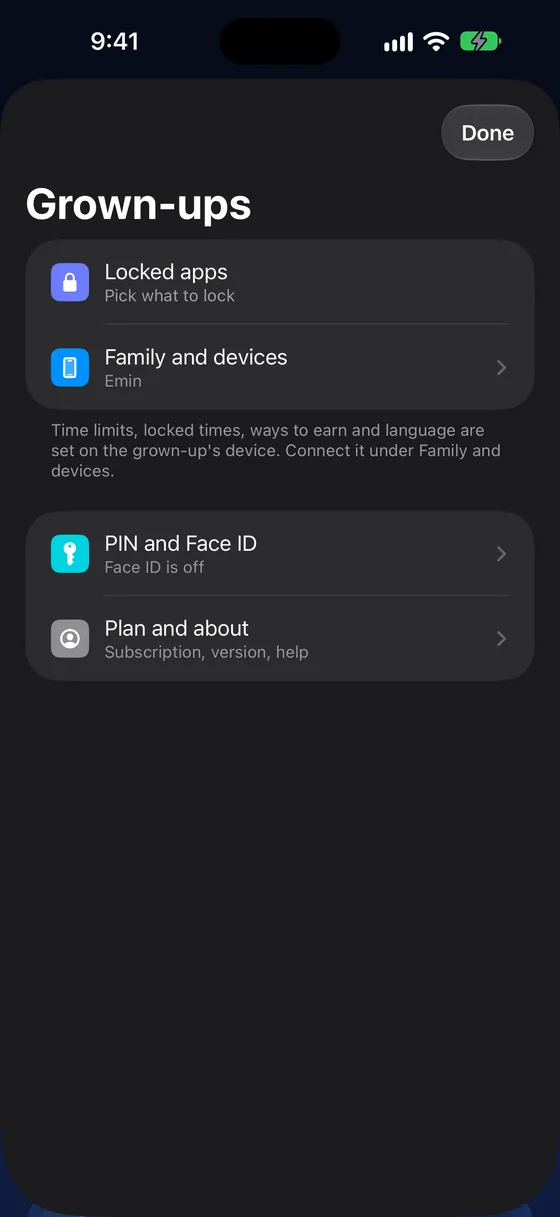
1Pick what locks
2Do a round
3Earn the minutes
One app, every kid
One grown-up iPhone. A different plan for each kid.
Three easy push-ups for a 5-year-old, fifteen full ones for a teen. Every kid shows up in one list on your iPhone. Tap a kid to set their own limits, moves and reps, or send bonus minutes.
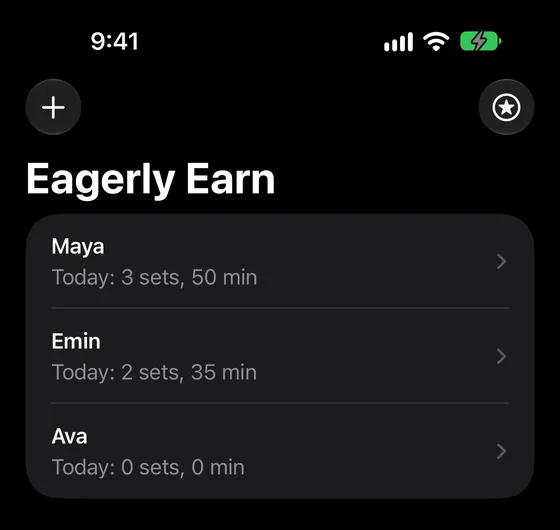
All your kids
Today's rounds and minutes for each one.
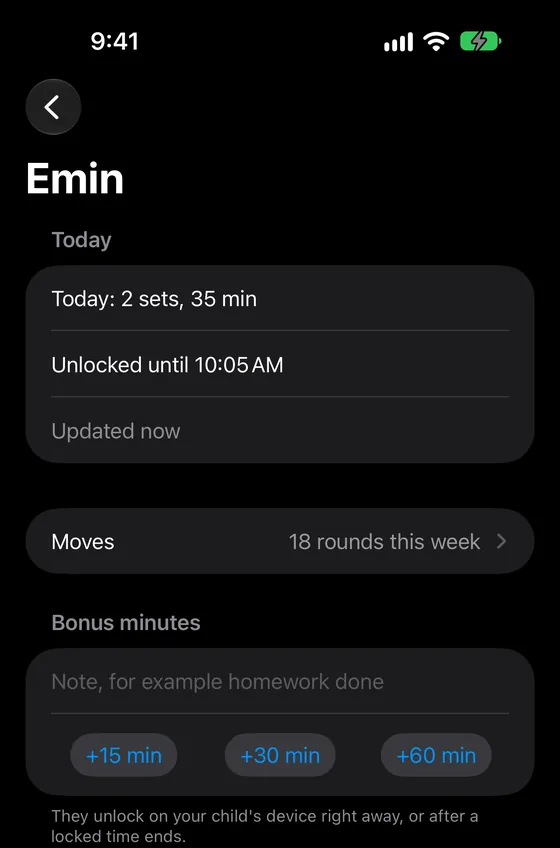
One kid's day
When their apps lock, their week, bonus minutes.
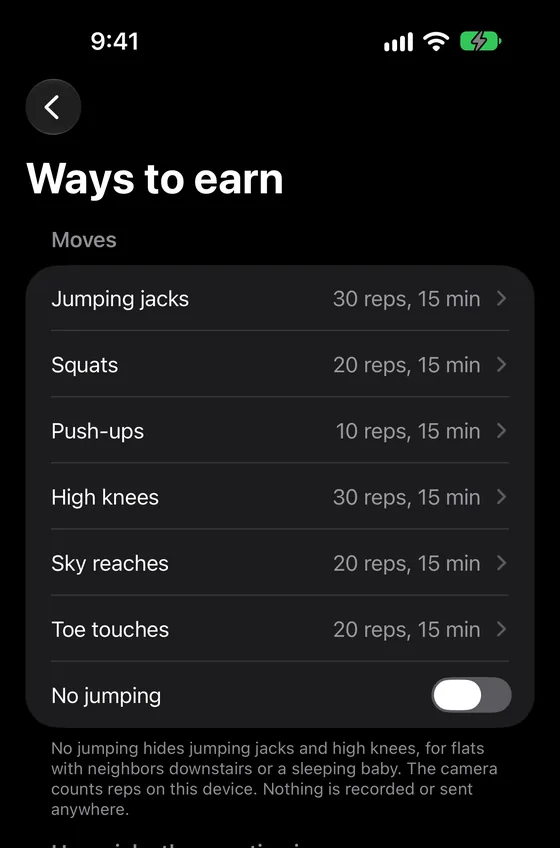
Their own rules
Moves, reps, minutes and how picky the counting is.
Set up once
Ready in three steps.
- 1
Your iPhone
Download Eagerly Earn, choose “Me” and start the free trial.
- 2
Each kid's device
Download it there, approve Screen Time and pick the apps to lock. Then scan its code with your iPhone.
- 3
Their own plan
Set each kid's limits, moves and reps from your iPhone. They start earning right away.
Kids love it
Streaks, badges and moving together.
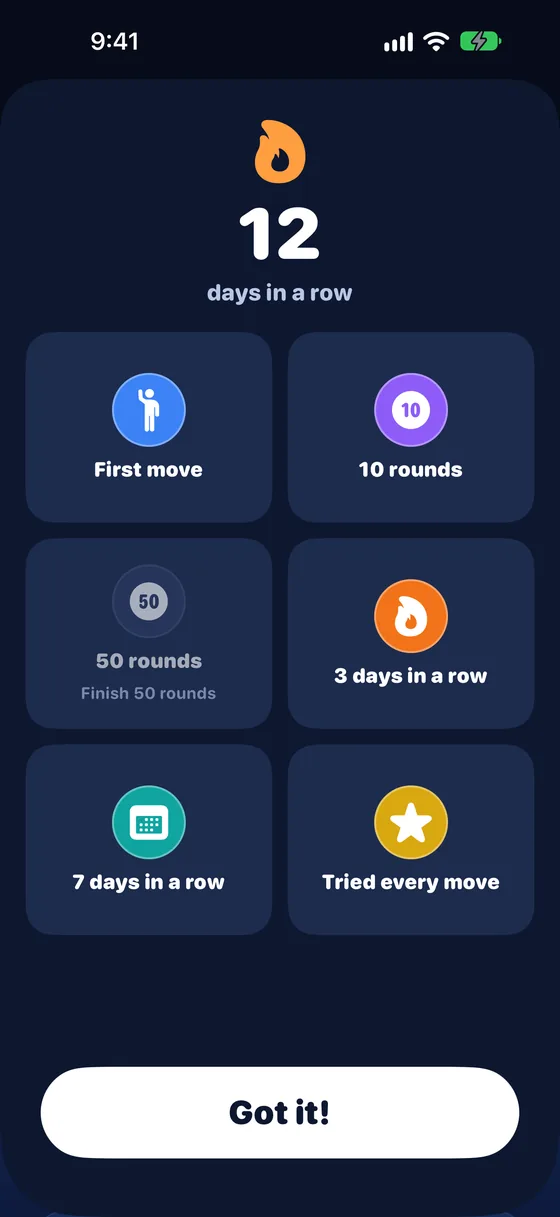
Streaks and badges
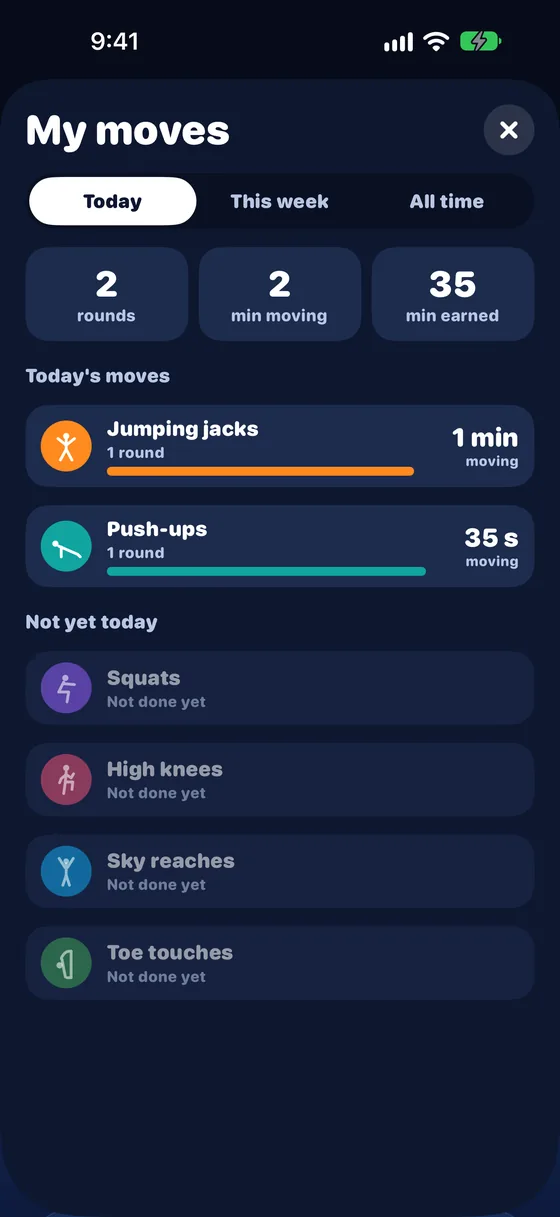
My moves: time moving and minutes earned
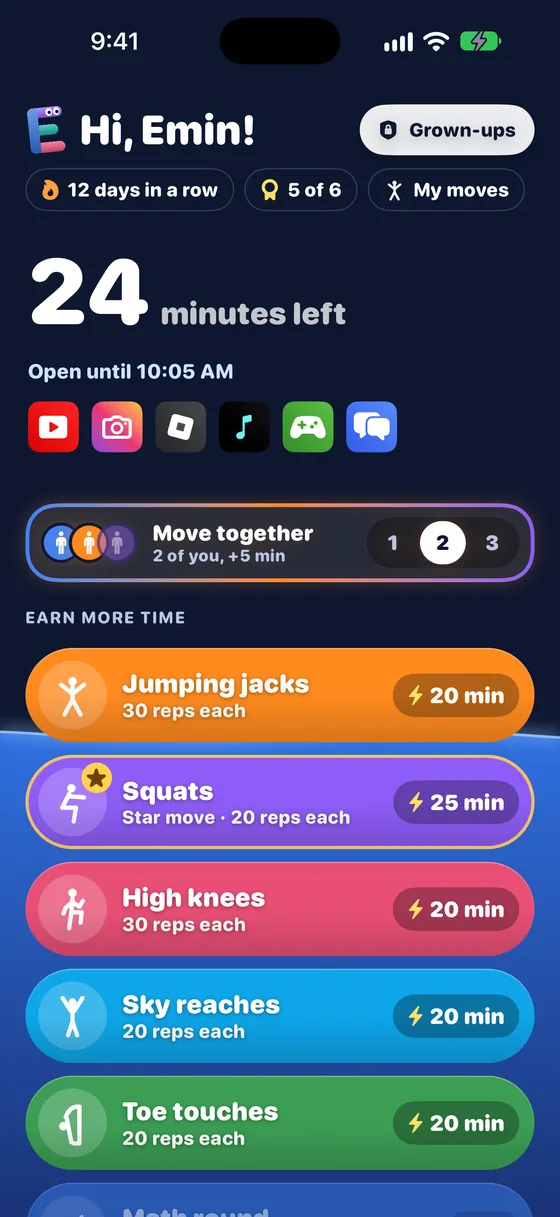
Two or three kids, one phone
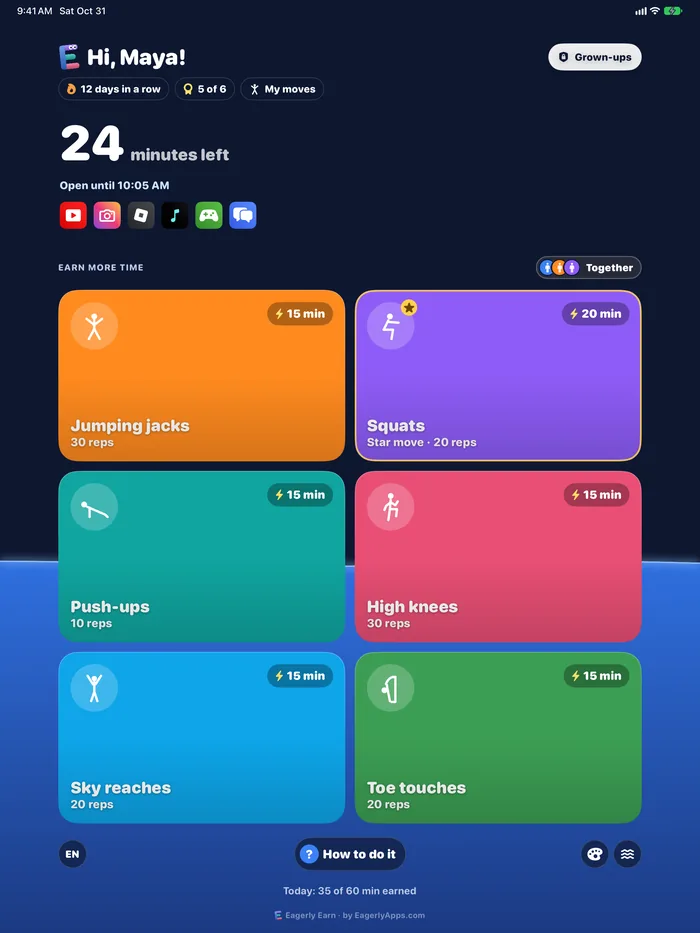
Six moves
Quick exercises kids can do in the living room
Jumping jacks
30 reps
Squats
20 reps
Push-ups
10 reps
High knees
30 reps
Sky reaches
20 reps
Toe touches
20 reps
Coming soonEarn minutes with math, too
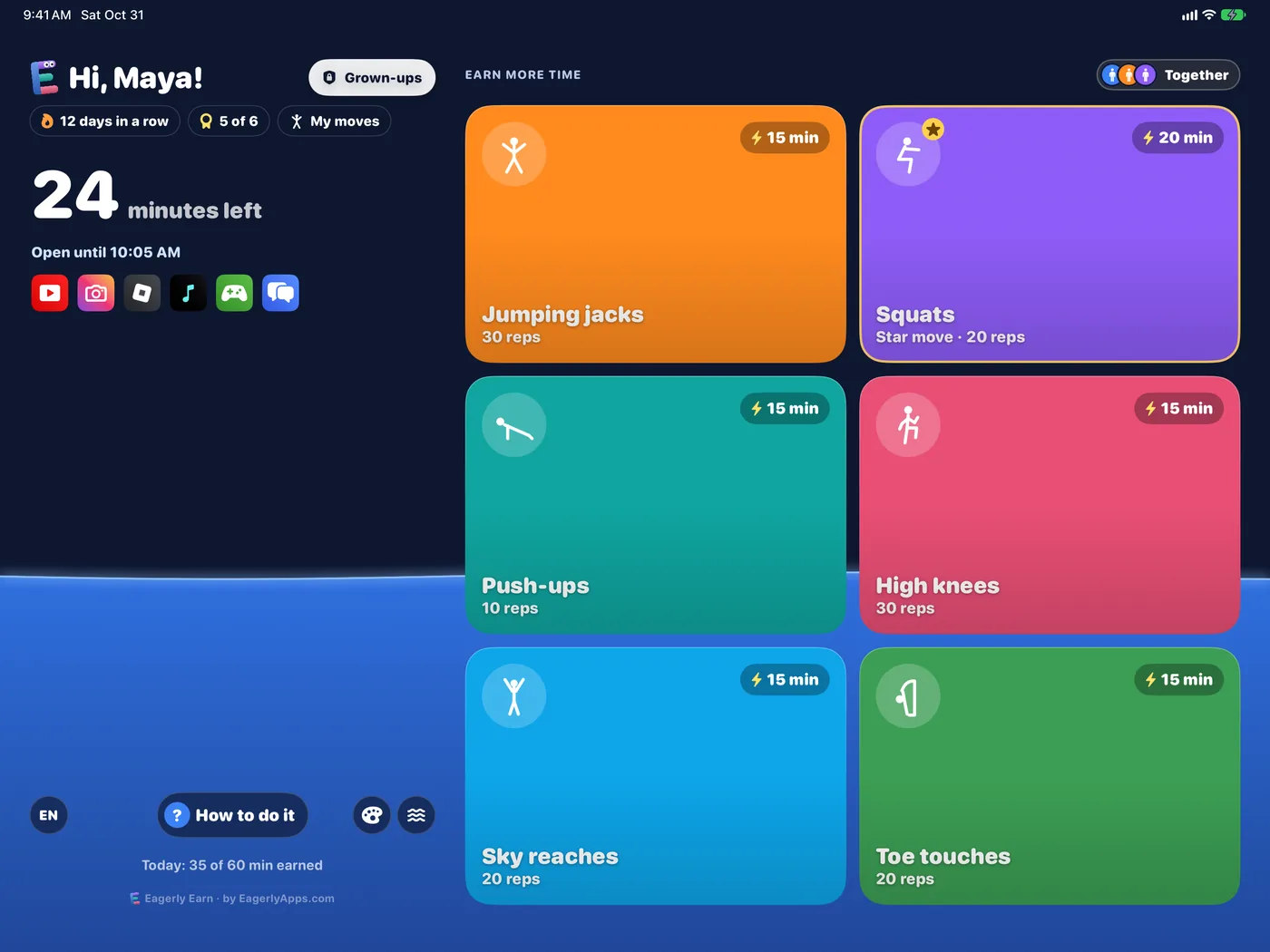
iPhone and iPad
Big and clear on iPad too
For grown-ups
Your rules, your family
- Locked apps
- Limits and locked times
- Ways to earn
- Together
- From your iPhone
- Streaks and badges
Hard to get around
Kids can't just delete it.
On your child's own iPhone or iPad, Eagerly Earn uses Apple's Screen Time controls for Family Sharing. Your child can't delete the app or switch it off in Settings: Apple asks for a parent's Apple Account password, not your child's.
- Deleting the app needs a parent's Apple Account password
- So does turning off its Screen Time access
- Grown-up settings need your PIN or Face ID
This works when your child uses a child Apple Account in your Family Sharing group (the My child choice). On a device you share with your child (My child and me), the device is yours: your passcode, Face ID and the app's PIN protect it, and you can remove the app any time.
- No accounts
- No ads
- No analytics in the app
- Data Not Collected on the App Store
Pricing
One plan for the whole family
Every feature, every kid, every device. Family Sharing is on, so one subscription covers your family.
7-day free trial
$39.99a yearCancel any time
$6.99a monthPrices in US dollars; the App Store shows the price in your currency. Payment goes through your Apple Account.
From the same family
Made by the makers of Eagerly Math
Earn gets kids moving. Math keeps them learning. Together they make screen time something kids work for.
Coming soonSoon kids can also earn minutes by solving questions in Eagerly Math, our math practice app. A finished math round unlocks time, just like a round of exercise.
Questions
Good to know
What does my child need?
An iPhone or iPad with iOS 17 or later and a working camera, signed in to iCloud with a child Apple Account in your Family Sharing group. That's Apple's rule for Screen Time controls. A parent or guardian approves Eagerly Earn on that device once, with their own Apple Account password.
What does my own iPhone need?
iOS 17 or later, with iCloud turned on. It connects to your child's device through your family's iCloud. It doesn't need Screen Time set up or a camera, and you don't have to be the family organizer.
Does it work without the internet?
Yes. Counting and unlocking happen on the device. The internet is only needed to sync with a grown-up's iPhone.
What if my child can't do push-ups yet?
Turn off any move, lower the reps, or set how picky the counter is, from Any try to Full moves.